When withdrawing from an exchange, you may encounter a "Under Review" status that persists for a long time. Exchanges perform risk control reviews on withdrawals to protect user funds. In most cases, reviews are completed within minutes, but certain situations may require hours or even longer. This article will help you understand the entire withdrawal review process.
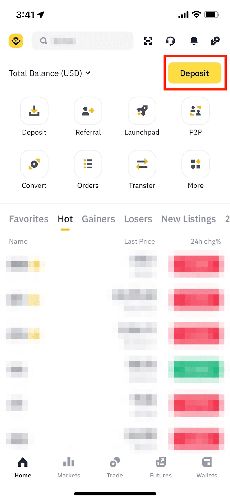
The General Withdrawal Review Process
After you submit a withdrawal request, it typically goes through the following stages:
Stage 1: Security Verification (1–2 minutes)
Complete email verification, Google Authenticator, SMS verification, and other multi-factor authentication steps. This is the step you complete on your end.
Stage 2: Automatic System Review (1–10 minutes)
The exchange's risk control system automatically checks whether the withdrawal triggers any risk rules. Most withdrawals pass at this stage.
Stage 3: Manual Review (optional, 30 minutes – 24+ hours)
If the system detects risk factors, the withdrawal is escalated to a manual review team. The time at this stage is uncertain and depends on the queue and review complexity.
Stage 4: On-Chain Broadcast
Once approved, the exchange broadcasts the transaction to the blockchain network. This step is usually fast.
Stage 5: Block Confirmation
The transaction is included in a block and confirmed by miners. Confirmation time depends on the chosen blockchain network.
What Triggers Manual Review?
The following situations may trigger manual review:
- Large withdrawals: Amounts exceeding a certain threshold (varies by exchange and VIP level) typically require manual review
- New withdrawal address: Higher security scrutiny for first-time withdrawals to a new address
- Frequent withdrawals: Multiple withdrawals in a short period may trigger rate limits
- New accounts: Recently registered accounts face stricter risk controls
- Security setting changes: Recent password, 2FA, or whitelist changes
- Unusual IP address: Withdrawal IP differs from your usual IP
- Account risk flags: Previous suspicious login attempts or security events
Normal Review Times by Exchange
| Exchange | Normal Review Time | Manual Review Time |
|---|---|---|
| Binance | 1–10 minutes | 30 minutes – 12 hours |
| OKX | 1–10 minutes | 30 minutes – 24 hours |
| Bybit | 1–5 minutes | 1–24 hours |
| Coinbase | Instant – 10 minutes | 1–72 hours |
Actual times may be longer during peak periods or system maintenance.
How to Speed Up Withdrawal Review
Set up security measures in advance:
- Enable all security verifications (2FA, email, SMS)
- Add withdrawal whitelist addresses ahead of time
- Complete advanced KYC verification
- Upgrade your VIP level (higher withdrawal limits and faster reviews)
Tips when making a withdrawal:
- Withdraw during weekday business hours (manual review teams are online)
- Avoid exchange system maintenance windows
- Use your usual device and network environment
- Don't make multiple withdrawals in quick succession
What If the Review Never Passes?
If a withdrawal review exceeds 24 hours:
- Check if the exchange has posted system announcements or maintenance notices
- Check your email for supplementary verification requests from the exchange
- Contact customer support to inquire about the review status
- Provide any additional documentation requested by support
- If you're unable to withdraw for an extended period, consider using P2P trading as an alternative
Safety Tips
While withdrawal reviews can be anxiety-inducing, they are an important mechanism for protecting your assets:
- Don't lower security settings to bypass review: Disabling 2FA to speed up withdrawals is extremely dangerous
- Plan large withdrawals in advance: If you know you'll need a large withdrawal, add the whitelist address 24 hours ahead
- Be patient: Most reviews are completed within a few hours
- Monitor exchange notifications: You may be asked to complete additional verification during the review
- Don't change security settings during review: This could trigger an even stricter review
- Have a backup plan: If Exchange A takes too long, transfer to Exchange B first, then withdraw
Binance — complete advanced verification for faster withdrawal speeds. You can also download the Binance app (Apple users, see the iOS installation guide) to check withdrawal status at any time.
Can I Cancel a Withdrawal During Review?
Some exchanges allow cancellation during the review stage. If the withdrawal is still in "Processing" or "Under Review" status, you can usually find a "Cancel" button in the order details. However, once the transaction has been broadcast to the blockchain, it cannot be canceled.
Can a Withdrawal Be Rejected?
Yes. If the exchange detects high-risk factors (such as account security issues or funding source concerns), it may reject the withdrawal and require additional verification. Follow the instructions in the rejection notice.
Do Small Withdrawals Also Need Review?
Typically, small withdrawals are reviewed faster or pass automatically. However, if your account has risk flags or incomplete security settings, even small withdrawals may trigger manual review.
Do VIP Users Get Faster Withdrawal Reviews?
Yes. Most exchanges provide faster review channels and higher withdrawal limits for VIP users. Upgrading your VIP level (usually by increasing trading volume or holding platform tokens) can improve your withdrawal experience.