Waiting a long time for a withdrawal to arrive is one of the most anxiety-inducing moments for crypto users. There are many reasons why a withdrawal might not show up, but in most cases the assets are not lost — something just went wrong along the way. This article will help you systematically diagnose the issue and find a solution.
Step 1: Confirm Whether the Exchange Has Sent the Transaction
Log in to the exchange and check the status of your withdrawal record:
Status: Processing / Under Review
The exchange has not yet broadcast the transaction to the blockchain. Possible reasons:
- Risk control review in progress (large withdrawal, new address, etc.)
- Exchange system maintenance or queue congestion
- Additional security verification required from you
Solution: Be patient. If it remains under review for more than 24 hours, contact exchange support.
Status: Completed / Sent
The exchange has broadcast the transaction to the blockchain and provided a Transaction Hash (TXID).
Next step: Use the Transaction Hash to look up the transaction status on a blockchain explorer.
Step 2: Check the Blockchain Explorer
Choose the appropriate blockchain explorer based on the network you used:
- Ethereum/ERC20: etherscan.io
- BSC/BEP20: bscscan.com
- TRON/TRC20: tronscan.org
- Bitcoin: blockchain.com or mempool.space
- Solana: solscan.io
- Arbitrum: arbiscan.io
Paste the Transaction Hash into the explorer's search bar and check the transaction status.
Status: Pending
The transaction has been broadcast but not yet included in a block. Possible reasons:
- Gas fee set too low (exchanges rarely have this issue)
- Extreme network congestion
Solution: Continue waiting. Ethereum transactions typically get included within a few hours.
Status: Success
The transaction has been confirmed on-chain. If your wallet or exchange still doesn't show the funds, proceed to the next step.
Status: Failed
The transaction execution failed. Possible reasons:
- Insufficient gas
- Contract execution error
Solution: Contact the sending exchange and request reprocessing.
Step 3: Transaction Succeeded but Wallet Doesn't Show It
The on-chain transaction succeeded but your wallet balance hasn't changed. Common reasons:
Reason 1: Network Mismatch
You may have withdrawn via BEP20, but your wallet is currently showing the Ethereum network. Switch to the correct network to see the balance.
Reason 2: Token Not Added
Some tokens (like USDT, USDC, and other ERC-20 tokens) need to be manually added to the wallet to display the balance. In MetaMask, click "Import Tokens" and enter the token contract address.
Reason 3: Insufficient Confirmations
The exchange or wallet may require a certain number of block confirmations before displaying the balance. Just wait patiently.
Reason 4: Deposited to Exchange but MEMO/TAG Was Missing
If you deposited to an exchange and forgot to fill in the MEMO/TAG, the funds won't be credited automatically. Contact exchange support to resolve this.
Step 4: Verify the Address and Network
Carefully check the following information:
- Whether the withdrawal address exactly matches your wallet address
- Whether the selected network is correct
- If applicable, whether the MEMO/TAG was filled in correctly
If you discover an address or network error, refer to the guides on recovering funds sent to wrong addresses or wrong chain deposits.
Normal Arrival Times by Network
| Network | Normal Arrival Time | Time to Start Worrying |
|---|---|---|
| BTC | 30–60 minutes | Over 2 hours |
| ERC20 | 5–30 minutes | Over 1 hour |
| TRC20 | 1–5 minutes | Over 30 minutes |
| BEP20 | 1–5 minutes | Over 30 minutes |
| Solana | Seconds to 1 minute | Over 10 minutes |
| Arbitrum | 1–5 minutes | Over 30 minutes |
If it exceeds the "time to start worrying" and still hasn't arrived, begin troubleshooting or contact support.
Safety Tips
Stay calm when a withdrawal hasn't arrived and follow these principles:
- Don't panic: Most delayed withdrawal issues can be resolved, and assets are usually not lost
- Save the Transaction Hash: This is the key piece of information for troubleshooting and seeking help
- Use a blockchain explorer: More effective than repeatedly refreshing your wallet
- Contact official support: Don't ask for help on social media — it will attract scammers
- Don't make another withdrawal: Don't initiate a new withdrawal until you've confirmed the status of the previous one
- Be patient with network confirmations: Especially on the BTC network, which sometimes requires longer wait times
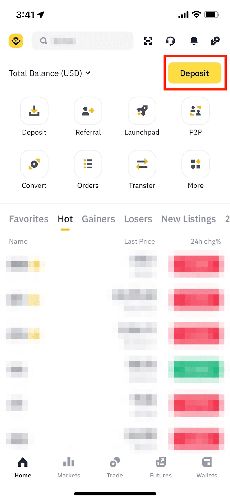
Binance offers reliable withdrawal services. You can also download the Binance app (Apple users, see the iOS installation guide) to check withdrawal status at any time.
The Withdrawal Shows as Successful but My Wallet Really Doesn't Have It?
First, confirm you're viewing the balance on the correct network. For ERC-20 tokens, you may need to manually add the token contract address for it to display. If everything checks out but the balance still doesn't show, try restarting your wallet app or checking the address balance directly on a blockchain explorer.
Can I Cancel a Withdrawal That's Stuck on "Processing"?
Some exchanges allow cancellation during the "Processing" stage. Check if there's a "Cancel" button in the withdrawal record details. If the transaction has already been broadcast to the blockchain (i.e., it has a Transaction Hash), it cannot be canceled.
Will My Funds Be Lost During Network Congestion?
No. Network congestion only delays transaction confirmations — it does not cause asset loss. As long as the transaction has been broadcast to the network, it will eventually be included in a block (though it may take a longer wait).
Can I Make Multiple Withdrawals at the Same Time?
Yes, most exchanges allow multiple simultaneous withdrawals. However, if a previous withdrawal is still under review, subsequent ones may also be delayed. It's recommended to wait for the previous one to complete before making the next.