Trust Wallet is one of the most feature-rich mobile decentralized wallets, offering token storage, transfers, Swap trading, a DApp browser, NFT management, and staking. This article covers every major feature.
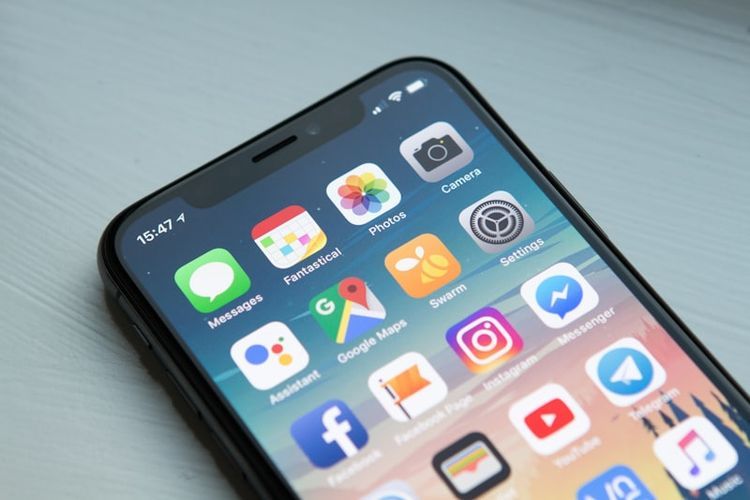
Main Features
- Asset management: View and manage multi-chain token balances
- Transfers: Send and receive cryptocurrency
- Swap: Built-in decentralized trading
- DApp browser: Connect to decentralized applications
- NFT gallery: View and manage NFTs
- Staking: On-chain staking for multiple tokens
- Token discovery: Browse and add new tokens
How to Receive Tokens
- Open Trust Wallet
- Find the token in the asset list (e.g., ETH, BNB)
- Tap the token to enter its detail page
- Tap "Receive"
- Copy the displayed address or have the sender scan the QR code
Important: Ensure the sender uses the same network. For BNB, confirm BSC network; for ETH, confirm Ethereum network.
How to Send Tokens
- Open Trust Wallet
- Find the token to send
- Tap "Send"
- Enter the recipient address (or scan QR)
- Enter the amount
- Confirm transaction details including gas fees
- Swipe to confirm or enter password
Tips
- Double-check addresses — transfers are irreversible
- Keep enough native tokens for gas fees
- Test with a small amount first for new addresses
- Don't manually modify gas unless you understand the settings
How to Use the Built-in Swap
- Tap the "Swap" icon at the bottom
- Select the token to pay (e.g., BNB)
- Select the token to receive (e.g., USDT)
- Enter the amount
- System calculates the rate automatically
- Confirm slippage (default 0.5%-1%)
- Tap "Swap" and confirm
Prices may differ slightly from Binance. Compare for large trades.
How to Use the DApp Browser
- Tap "Discover" or "Browser" at the bottom
- Enter the DApp URL (e.g., pancakeswap.finance)
- The DApp connects automatically
- Confirm transactions in Trust Wallet when prompted
Popular DApps
- PancakeSwap: Largest DEX on BSC
- Uniswap: Most well-known DEX on Ethereum
- Aave: Decentralized lending protocol
- OpenSea: Largest NFT marketplace
Note: iOS may lack the built-in DApp browser due to App Store restrictions. Use WalletConnect instead.
Staking Feature
Supported Tokens
- BNB (~2-5% APY)
- ATOM (~15-20% APY)
- TRX (~3-5% APY)
- SOL (~5-7% APY)
Steps
- Find a staking-supported token
- Tap "More" or "Earn"
- Select "Stake"
- Choose a validator
- Enter the amount
- Confirm the transaction
Unstaking requires a lock-up period (typically 7-28 days).
Security Tips
- Back up your recovery phrase regularly — the only way to restore your wallet
- Be cautious with DApps — only connect trusted apps
- Check transaction details — verify amount, address, and network
- Manage approvals — use revoke.cash to check and revoke unnecessary approvals
- Don't share your screen while operating the wallet
- Keep the app updated for the latest security patches
How long do transfers take?
BSC: seconds to 1 minute. Ethereum: 1-5 minutes. Bitcoin: 10-60 minutes.
Can I manage multiple wallets?
Yes. Trust Wallet supports creating and importing multiple independent wallets.
What are the Swap fees?
No extra fees from Swap itself, but you pay on-chain gas and DEX fees (typically 0.25%-0.3%).
Does Trust Wallet support Bitcoin?
Yes. Download the Binance App (iOS users refer to iOS guide) to add BTC.
How to view transaction history?
Tap any token to see all its transactions on the detail page.