In cryptocurrency trading, "maker" and "taker" are two fundamental concepts that are often overlooked. They not only affect how your orders are filled but also directly determine how much you pay in fees. Understanding the maker-taker mechanism can help you save costs and even optimize your trading strategy.
What Is a Maker?
A maker is someone who places a new limit order in the order book that doesn't execute immediately but instead waits for someone else to match it. Because your order provides liquidity to the market ("makes" liquidity), you are called a maker.
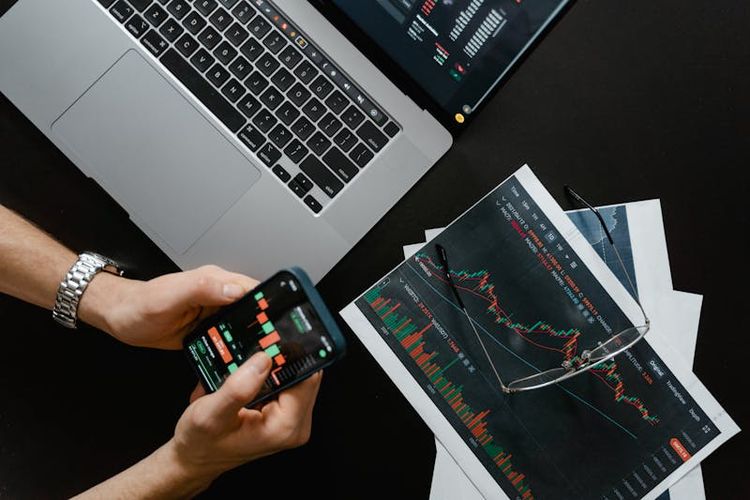
Typical Maker Behavior:
- BTC is currently at 65,000 USDT, and you place a limit buy order at 64,500 USDT
- ETH is currently at 3,200 USDT, and you place a limit sell order at 3,300 USDT
- Your order enters the order book and waits for the market price to reach your set price
Key point: Not all limit orders are maker orders. If your limit buy price is higher than the current best ask, it will execute immediately, making it a taker order.
What Is a Taker?
A taker is someone whose order matches directly against existing orders in the order book, "taking" the liquidity that someone else placed there.
Typical Taker Behavior:
- Using a market order to buy or sell (all market orders are taker orders)
- A limit buy order priced above the current lowest ask, causing immediate execution
- A limit sell order priced below the current highest bid, causing immediate execution
Simply put: Market orders are always taker orders. Limit orders can be either maker or taker.
How Do Maker and Taker Fees Differ?
Exchanges generally charge different fee rates for makers and takers, with maker fees typically lower than or equal to taker fees. This is because makers provide liquidity, and exchanges incentivize this behavior with lower fees.
Common Fee Comparison:
- Regular user: Maker 0.10% / Taker 0.10%
- VIP 1: Maker 0.09% / Taker 0.10%
- VIP 3: Maker 0.06% / Taker 0.08%
- VIP 6: Maker 0.02% / Taker 0.04%
- Top market maker: Maker 0.00% / Taker 0.02%
For high-volume traders, the maker-taker fee difference adds up to a substantial amount.
How to Tell If Your Order Is Maker or Taker?
The method is straightforward:
- Market order → Always taker
- Limit buy priced below the current best ask → Maker (enters the order book)
- Limit buy priced at or above the current best ask → Taker (executes immediately)
- Limit sell priced above the current best bid → Maker (enters the order book)
- Limit sell priced at or below the current best bid → Taker (executes immediately)
In your trade history, the exchange usually labels each trade as maker or taker.
How to Use the Maker Mechanism to Save on Fees?
If you're not in a hurry to execute, you can become a maker by placing limit orders to reduce fees:
- When buying: Set your limit order slightly below the current price
- When selling: Set your limit order slightly above the current price
- Ensure the order doesn't execute immediately: The order must enter the order book to count as maker
If your monthly trading volume is 100,000 USDT, the difference between a 0.06% maker fee and a 0.10% taker fee is 40 USDT — saving 480 USDT annually.
The higher your volume, the more you save. If you don't have an account yet, register on Binance to enjoy referral fee discounts.
How Does the Maker-Taker System Affect Trading Strategy?
Understanding the maker-taker mechanism lets you optimize your strategy:
Short-term Traders:
- Use limit orders as a maker whenever possible for frequent trades
- Fee differences are very noticeable with high-frequency trading
- Only use market orders when immediate execution is essential
Long-term Investors:
- When dollar-cost averaging or building positions, place limit orders near support levels
- No rush to execute, enjoy lower maker fees
- Set take-profit sell orders at target prices using limit orders
Arbitrage Traders:
- Arbitrage profits are usually thin, and fee type directly impacts profitability
- Be a maker whenever possible to reduce costs
Safety Tips
When placing maker and taker orders, keep these safety points in mind:
- Don't blindly place orders during extreme volatility: In extreme conditions, limit orders may fill at unexpected prices
- Regularly check unfilled orders: Orders pending for a long time may no longer suit current market conditions
- Beware of large fake orders: Some whales place large spoof orders in the book to mislead the market
- Enable fill notifications: Turn on trade notifications to stay informed about order executions
- Only trade on official platforms: Access exchanges through official channels — you can download the Binance App (iOS users refer to the iOS installation guide) for a better experience
- Cancel outdated orders promptly: After market conditions change, previously placed orders may no longer be appropriate
Can I cancel a pending order?
Yes. Unfilled orders can be canceled at any time with no cancellation fee. Partially filled orders can also have their unfilled portion canceled. Frozen funds are immediately returned to your available balance.
Why isn't my limit order a maker order?
If your limit buy price is set higher than the current market ask price, the system will fill it immediately at the market price, making you a taker rather than a maker. To ensure maker status, limit buys must be priced below the best ask, and limit sells must be priced above the best bid.
What's the lowest maker fee available?
It varies by exchange. Some exchanges offer 0% or even negative maker fees (the exchange pays you) for top VIP or market maker tiers. Regular users can reduce maker fees through platform token discounts and VIP tier upgrades.
Do pending orders get priority?
Orders in the order book are matched by "price priority, time priority." For the same price, the earlier order gets filled first. For different prices, higher buy orders and lower sell orders are prioritized.