A futures grid bot is an automated trading tool that buys low and sells high within a defined price range, combining grid trading strategy with the leverage characteristics of futures contracts. It profits from price swings in sideways markets, making it ideal for traders who don't want to monitor charts all day but still want to capture volatility gains. Before using one, activate futures trading on Binance, and download the official Binance app (Apple users see the iOS installation guide) to monitor your bot's status on the go.
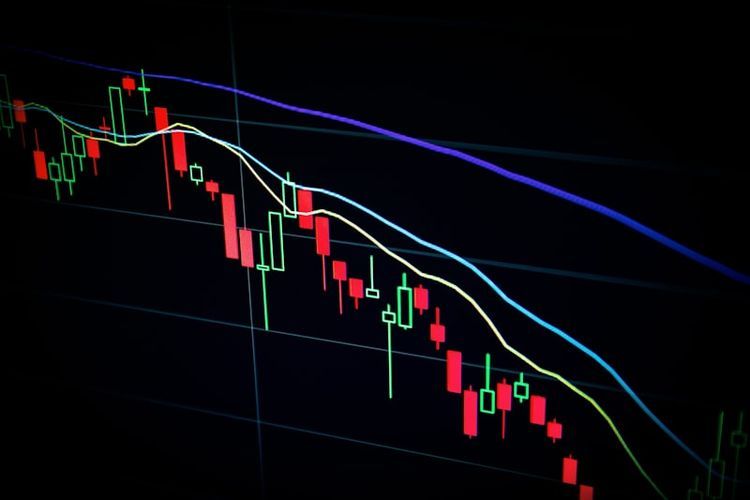
How Does a Futures Grid Bot Work?
Core logic:
- Define a price range – Set an upper and lower price boundary
- Divide into grids – The system evenly splits the range into multiple grid levels
- Auto-place orders – Buy and sell limit orders are placed at each grid line
- Continuous trading – Price drops trigger buys; price rises trigger sells, cycling to capture spreads
Unlike spot grids, futures grids can use leverage to amplify returns, and they support short grids — profiting from high-sell / low-buy in downtrends.
Three modes:
- Long grid – For bullish-but-choppy markets; only opens longs
- Short grid – For bearish-but-choppy markets; only opens shorts
- Neutral grid – Opens both longs and shorts; pure grid-spread profit
How to Configure Key Parameters
Price range
- Upper limit – The highest price you expect the market to reach
- Lower limit – The lowest price you expect
- Too narrow: Frequent trades but tiny profit per grid
- Too wide: Fewer trades, lower capital utilization
Tip: Look at the recent price range and add a 10%–20% buffer on each side.
Grid count
- More grids: Smaller profit per grid, more frequent trades
- Fewer grids: Larger profit per grid, lower frequency
- Recommended: 20–150 grids, adjusted for range width and capital
Leverage
- Beginners should use 2–5× leverage
- Higher leverage means larger per-grid profit but greater liquidation risk
- The liquidation price must fall outside the grid range
Per-grid investment
- Determined by total capital, grid count, and leverage
- Keep individual grid positions modest and leave ample margin
Step-by-Step: Creating a Futures Grid Bot on Binance
- Log in to Binance → "Trade" → "Strategy Trading"
- Select "Futures Grid"
- Choose a pair (e.g., BTCUSDT perpetual)
- Choose direction (Long / Short / Neutral)
- Set parameters:
- Upper and lower price limits
- Grid count
- Leverage
- Total investment
- The system displays estimated per-grid profit and trigger prices
- Review and click "Create"
- The bot starts running automatically
You can also select "AI Parameters" to let the system recommend optimal settings based on historical data — handy for beginners.
What Market Conditions Suit Futures Grids?
| Condition | Suitability | Notes |
|---|---|---|
| Sideways / ranging | Excellent | Repeated oscillation is the ideal scenario |
| Slow uptrend | Long grid fits | Trend + volatility yields dual returns |
| Slow downtrend | Short grid fits | Trend + volatility yields dual returns |
| Sharp rally | Not suitable | Short grid suffers big losses; long grid misses upside |
| Sharp crash | Not suitable | Long grid risks liquidation; short grid may not keep up |
Key judgment: If you expect the market to trade sideways for a while, a futures grid is a good choice.
Risk Control
Key risk management points:
- Set a stop-loss – Auto-stop the bot and close positions when price breaks out of range
- Control leverage – Keep leverage at or below 5×; ensure the liquidation price is well outside the range
- Diversify – Don't put all capital into one bot
- Check regularly – Automated doesn't mean set-and-forget; review performance periodically
- Watch fees – Grid bots trade frequently; cumulative fees can add up
- Mind the funding rate – Holding contract positions incurs funding costs over time
FAQ
Can a futures grid bot get liquidated?
Yes. If the price moves far outside your grid range and no stop-loss is set, margin may become insufficient, leading to liquidation. Always set a stop-loss or ensure the liquidation price is well outside the range.
What kind of returns can I expect?
It depends on volatility, settings, and duration. In ideal sideways conditions, monthly returns might be 5%–20%. But unfavorable conditions can also produce losses.
Can I modify parameters while the bot is running?
Most platforms don't allow changes to core parameters (price range, grid count) mid-run. You typically need to stop the current bot and create a new one.
Futures grid vs. spot grid — which is better?
Futures grids offer shorting and leverage, so profit potential is higher — but so is risk. Beginners should start with spot grids and move to futures grids after gaining experience.
Can I run multiple grid bots simultaneously?
Yes. You can run bots on different pairs to diversify. Just mind total margin allocation.
Safety Reminders
- Futures grids are high-risk products — beginners should test with small amounts first
- Only use grid bot features on legitimate platforms like Binance
- Don't use unknown third-party grid trading bots
- Monitor your bot's status at any time via the official Binance app
- Always set a stop-loss — never let a bot run unprotected in extreme conditions
- Don't put all your capital into grid trading; keep a healthy cash reserve