On exchanges, you mainly check the market through three tools: candlestick charts, depth charts, and market overview. Candlestick charts show price movements, depth charts show the order book situation, and market overview provides summary data like price changes and trading volume. Mastering these basic tools allows you to make fundamental market assessments.
To start viewing real-time market data, first create an account on Binance. Most exchange market pages can be viewed without logging in, but registering allows you to set up watchlists and price alerts.
How to Read Candlestick Charts?
Candlestick charts are the most essential market tool. Each candlestick represents price changes within a specific time period:
Basic Structure of a Candlestick
- Body (thick bar): Represents the range between the opening and closing prices
- Upper wick (thin line above): Represents the highest price
- Lower wick (thin line below): Represents the lowest price
- Bullish candle (green/red): Closing price is higher than opening price, indicating an uptrend
- Bearish candle (red/green): Closing price is lower than opening price, indicating a downtrend
Note: Different exchanges may use different colors for up and down movements. Binance defaults to green for up and red for down (international convention). You can switch to red for up and green for down (Chinese convention) in the settings.
Common Time Frames
| Time Frame | Use Case |
|---|---|
| 1-minute / 5-minute | Ultra-short-term trading, scalping |
| 15-minute / 1-hour | Short-term trading, intraday operations |
| 4-hour / Daily | Swing trading, trend analysis |
| Weekly / Monthly | Long-term investing, macro trend analysis |
Beginners should start with daily charts. Don't jump straight to 1-minute charts — shorter time frames have too much noise.
Where to Find Market Data on Exchanges?
Viewing Market Data on Binance
- Open the app, tap "Markets" at the bottom
- Browse by "Trending," "Top Gainers," "Top Losers," etc.
- Tap a specific coin to enter its candlestick chart page
- On the chart page, you can switch time frames and add indicators
Viewing Market Data on OKX
- Open the app, tap "Markets" at the bottom
- Supports categories like "Favorites," "Spot," "Futures"
- Tap a coin to enter its detail page
- Supports full-screen landscape view for candlestick charts
Viewing Market Data on Bybit
- Open the app, tap "Markets" at the bottom
- Sort by "24h Gainers," "24h Losers," "Volume," etc.
- Long-press a coin to add it to your watchlist
We recommend downloading the official Binance app. Apple users can refer to the iOS installation guide to view market data — the app's chart interaction experience is better than the web version.
What Are Common Technical Indicators?
MA (Moving Average)
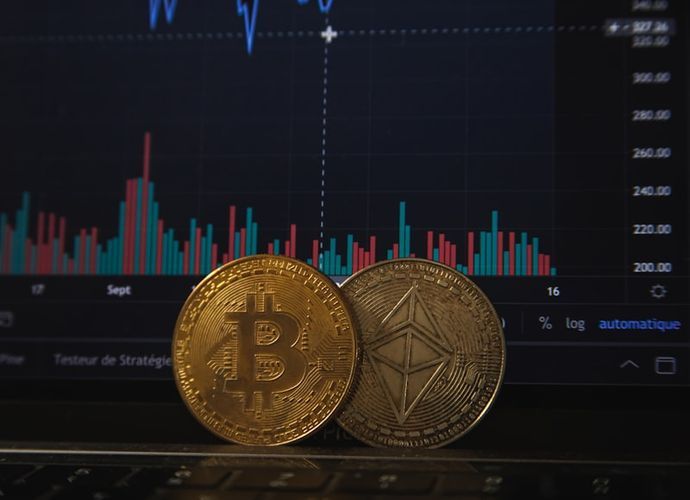
Shows the average price trend over a period of time. Common ones include MA7 (7-day moving average), MA25 (25-day moving average), and MA99 (99-day moving average). When a short-term MA crosses above a long-term MA, it's called a "golden cross" and is usually considered a buy signal; the opposite is called a "death cross."
MACD (Moving Average Convergence Divergence)
Composed of the DIF line, DEA line, and histogram. When DIF crosses above DEA, it forms a golden cross; when DIF crosses below DEA, it forms a death cross. The histogram turning from negative to positive indicates strengthening bullish momentum.
RSI (Relative Strength Index)
Ranges from 0 to 100. RSI above 70 is generally considered overbought (potential pullback), while below 30 is considered oversold (potential rebound). However, during strong trends, RSI may remain in the overbought zone for extended periods.
Bollinger Bands
Composed of upper, middle, and lower bands. Price touching the upper band may indicate a pullback, while touching the lower band may indicate a rebound. Narrowing Bollinger Bands suggest an imminent significant price movement.
What Else Should You Watch Besides Candlestick Charts?
- 24h Trading Volume: Reflects market activity — coins with high volume have better liquidity
- Price Change Percentage: Quickly understand market sentiment and trends
- Funding Rate: The funding rate in futures markets reflects the balance between longs and shorts
- Order Book Depth: Order volumes on buy and sell sides show support and resistance levels
- Open Interest: Changes in total open interest in futures markets reflect market participation intensity
Security Reminders
Please note the following safety tips when viewing market data and trading:
- Don't blindly trust technical indicators: Technical analysis is a supplementary tool, not a 100% accurate prediction method
- Beware of "signal" groups: Any community claiming to accurately predict market movements is untrustworthy
- Set price alerts instead of watching the screen: Prolonged screen-watching leads to impulsive trading
- Manage your position size: Adjust position sizes based on your market analysis — never go all-in
- Think independently: Don't blindly follow KOLs or community trading advice
Which Exchange Has the Best Candlestick Charts?
Both Binance and OKX integrate TradingView's charting tools, which are extremely powerful and support hundreds of technical indicators. Bybit's charts also use TradingView, offering a similar experience. The differences between the three are minimal — just choose whichever you're comfortable with.
Do I Need to Pay to View Market Data?
No. All major exchanges provide free market data, including candlestick charts, depth charts, and market data. You don't even need to register an account to view most market information.
Is It More Convenient to View Markets on Mobile or Desktop?
For quick daily checks, the mobile app is more convenient. For detailed analysis (drawing lines, comparing multiple indicators), the desktop web version is better — larger screen and more workspace. Many traders use both.
Is There a Delay in Market Data?
Market data within the exchange is real-time with no delay. However, third-party market sites (like CoinMarketCap, CoinGecko) may have delays ranging from a few seconds to several minutes. For trading decisions, it's recommended to rely on real-time data from the exchange itself.